Dragon Frame Template for Canva: A Practical Guide to Magical Design
If you have ever stared at a blank canvas in Canva, feeling the pressure to create something visually striking but lacking the time or advanced graphic design skills to build it from scratch, you are not alone. This is where the Dragon Frame Template for Canva steps in as a practical solution. It is not just a decorative border; it is a functional, editable asset designed to streamline your creative workflow while adding a touch of fantasy and intrigue to your projects.
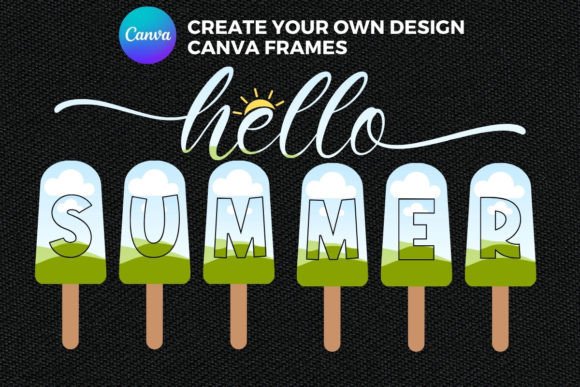
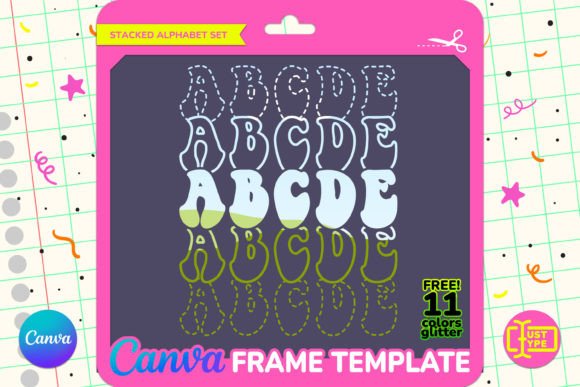
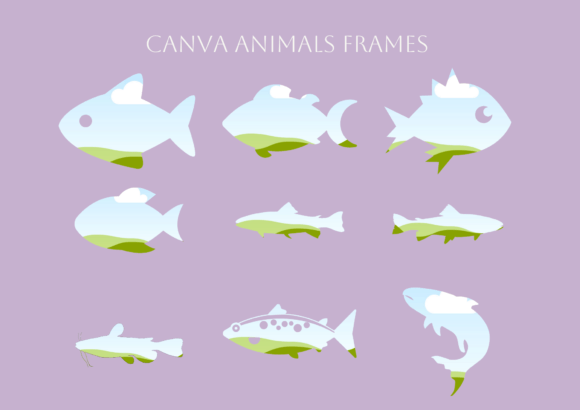
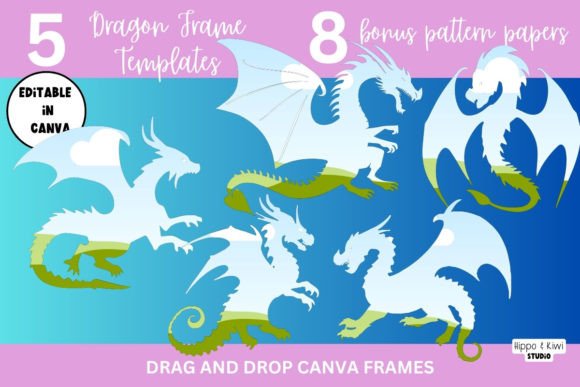
This template transforms the standard image placeholder into a dynamic dragon-themed frame. Whether you are a hobbyist looking to spice up social media posts or a small business owner needing unique product photography borders, this tool bridges the gap between imagination and execution. The core functionality relies on Canva’s intuitive drag-and-drop interface, allowing you to easily insert photos, patterns, videos, and custom colors to bring your magical dragon to life.
Understanding the Tool: What You Are Actually Getting
Before diving into use cases, it is important to understand exactly what this resource entails. When you purchase or download this template, you are not receiving a static image file that you cannot alter. Instead, you receive a fully editable Canva frame template. This means the dragon design is structured as a layer that sits above your content, allowing you to manipulate both the frame and the background independently.
The package typically includes:
- 1 PDF File: This serves as your delivery mechanism, containing direct links to access the Dragon Frame Template in your Canva account.
- Video Tutorial: While the video may demonstrate the process using a bat design, the underlying mechanics are identical. It guides you through the specific steps of utilizing Canva frames, ensuring you can replicate the effect with the dragon template.
- 8 Bonus Digital Papers: These are high-quality background textures and patterns included in a separate folder. They provide immediate variety, allowing you to change the mood of your frame without needing to source new backgrounds elsewhere.
It is crucial to note the compatibility aspect. This template works seamlessly in both the free and Pro versions of Canva. However, there is one technical distinction regarding file exports. If you plan to use your final creation on websites or designs that require transparency (so the background behind your dragon frame blends naturally), you will need a Canva Pro subscription to save the file as a PNG with a transparent background. For standard JPG or PDF outputs, the free version suffices.
Real-World Applications: Where and Why to Use This Template
The versatility of a dragon frame extends far beyond simple decoration. By understanding the context in which these templates shine, you can apply them more strategically across various domains.
For Content Creators and Bloggers
In the crowded space of digital content, visual differentiation is key. A blogger reviewing a fantasy novel, a gaming channel updating its banner, or an influencer sharing travel photos from a "mystical" location can use this frame to establish a cohesive brand aesthetic. Imagine a YouTube thumbnail featuring a dramatic landscape photo placed inside a fiery dragon frame. The contrast draws the eye immediately, increasing click-through rates. The ability to swap out the central image quickly means you can batch-create multiple thumbnails or social media posts in minutes rather than hours.
For Educators and Teachers
Educational resources often suffer from being visually dry. A teacher creating a worksheet about mythology, history, or creative writing can use the Dragon Frame Template to make learning materials more engaging. Picture a student assignment sheet where their portrait or project title is framed by a dragon. It adds a layer of fun that resonates with younger audiences. Furthermore, because the template is editable, educators can customize the colors to match school branding or specific lesson themes without breaking the design integrity.
For Small Business Owners and Marketers
Small businesses often operate with limited budgets, making expensive stock photography or custom illustration commissions difficult. This template offers a cost-effective alternative for product showcasing. Consider a jewelry maker selling fantasy-inspired rings. By placing product shots within the dragon frame against one of the eight bonus digital papers, they create a premium-looking catalog image instantly. Similarly, event organizers promoting a cosplay convention, a book launch, or a themed party can use these frames for flyers and digital invitations. The professional finish helps elevate the perceived value of the event or product.
For Personal Projects and Hobbyists
Not everyone uses design tools for commercial gain. Many users create personalized gifts, scrapbooks, or home decor. A parent might use the template to create a unique birthday card for a child who loves dragons. By inserting family photos into the frame and printing it as a high-quality PDF or JPG, they produce a memorable keepsake. The ease of use ensures that even those with minimal design experience can produce results that look professionally crafted.
Practical Tips for Maximizing the Template
To get the most out of the Dragon Frame Template for Canva, consider how you integrate it with other elements. The inclusion of 8 bonus digital papers is a significant value-add. Do not overlook them. Using a textured paper as the background behind the dragon frame adds depth and prevents the design from looking flat. Experiment with contrasting colors; if the dragon frame is dark, a light, airy digital paper can make the frame pop, whereas a dark paper creates a moody, atmospheric effect.
When working with the video tutorial, pay close attention to the layering process. In Canva, frames work by placing images *inside* the shape. If your image does not appear correctly, check that you have selected the frame object and clicked "Replace Image" rather than trying to paste over it. Although the tutorial uses a bat design, remember that the interaction is identical for the dragon frame. Mastering this technique allows you to apply the same logic to any other frame-based template you might acquire in the future.
Considerations Before You Start
While the template is user-friendly, there are practical considerations to keep in mind. First, always check the resolution of your source images. Since you are likely printing or displaying these designs digitally, low-resolution photos may appear pixelated when scaled to fit the frame. High-quality images ensure the final output looks sharp and professional.
Secondly, be mindful of the color palette. Dragons are often depicted with vibrant reds, oranges, greens, or deep blues. Ensure that the photos or patterns you drop into the frame complement these colors. Clashing hues can distract from the main subject. Use Canva’s color picker to sample tones from the dragon frame and adjust your background images accordingly.
Finally, respect copyright and usage rights. While the template itself is yours to use, ensure that any photos, fonts, or additional elements you add are either original, licensed for commercial use, or fall under fair use guidelines, depending on your intended application. This is particularly important for entrepreneurs and marketers who may sell products featuring these designs.
Conclusion
The Dragon Frame Template for Canva is more than just a trendy graphic; it is a productivity booster and a creative catalyst. By simplifying the process of creating complex, themed layouts, it empowers users across various sectors—from educators to e-commerce owners—to communicate their messages more effectively. With its compatibility across Canva versions, the inclusion of bonus assets, and the straightforward drag-and-drop functionality, it removes the barriers to entry for high-quality design. Whether you are crafting a whimsical invitation or a professional marketing asset, this template provides the structure you need to let your creativity soar.