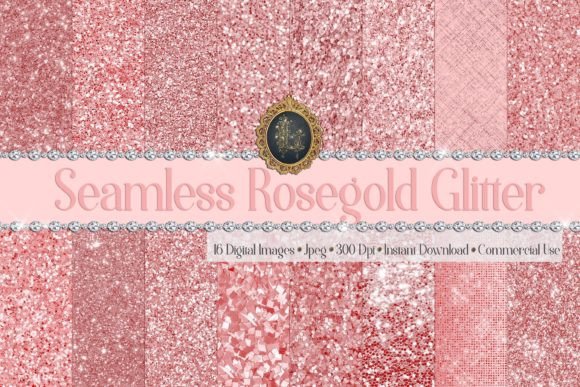
Seamless RoseGold Glitter Papers: A Practical Guide to Quality and Usage
In the world of digital design, texture is everything. It adds depth, luxury, and a tactile quality to visual projects that flat colors simply cannot achieve. Among the myriad of textures available, Seamless RoseGold Glitter Papers have become a staple for designers, scrapbookers, and content creators looking to add a touch of elegance without the hassle of complex photo manipulation. However, not all glitter textures are created equal. Choosing the right asset can mean the difference between a polished, professional final product and a pixelated, disappointing result.
This guide breaks down what you need to know about this specific pack of digital papers, why the technical specifications matter more than you might think, and how to avoid common pitfalls when integrating these assets into your workflow. Whether you are a seasoned graphic designer or a hobbyist creating birthday invitations, understanding the nuances of seamless tiling and resolution is crucial for success.
Understanding the Asset: What You Are Actually Buying
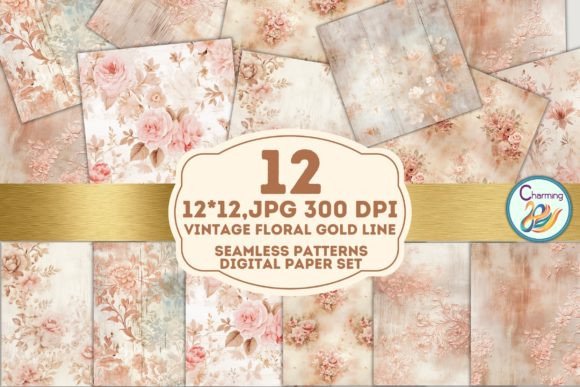
Before diving into usage, it is important to clarify exactly what is included in this digital download. Many buyers make the mistake of assuming "glitter paper" implies a physical sample or a low-resolution preview. This pack delivers 16 high-quality JPG images, packaged conveniently in a single zip file. Each image represents a unique variation of rose gold glitter, designed with precision.
The core feature here is the seamless pattern. Unlike standard clipart or isolated glitter elements, these papers are engineered to tile infinitely. This means there are no visible seams or awkward cuts when you repeat the pattern. For users who need backgrounds for websites, fabric prints, or large-format posters, this seamless capability is non-negotiable. If you try to stretch a non-seamless image to fill a large area, you will inevitably see repeating artifacts that break the illusion of realism.
Technical Specifications That Matter
When evaluating digital assets, the devil is in the details. Here are the specific metrics for this pack:
- Quantity: 16 distinct digital papers.
- Format: High-fidelity JPG files.
- Measurement: 12 x 12 inches (30.48 cm).
- Resolution: 300 DPI (dots per inch).
The combination of 12x12 inches at 300 DPI is the industry standard for print-on-demand services and high-quality home printing. At this resolution, the glitter particles appear crisp and sharp, even when viewed up close. If you were to use a lower-resolution version (such as 72 DPI), the text would become blurry and the glitter effect would look muddy when printed on cardstock or fabric.
Common Mistakes to Avoid When Using Digital Papers
Even with high-quality assets, user error can degrade the final output. Here are the most frequent mistakes creators make when working with seamless glitter papers, along with practical advice on how to correct them.
1. Ignoring Aspect Ratio Constraints
A common misconception is that because the source file is 12x12 inches (a square), it must always be used as a square. While the base tile is square, the power of seamless patterns lies in their ability to be tiled to any rectangular dimension. However, beginners often force a single tile to stretch across a wide banner, which distorts the glitter density and creates an unnatural look.
The Fix: Use your design software’s pattern fill or tiling tools. Instead of stretching one image, allow the software to repeat the 12x12 tile horizontally and vertically until it covers your canvas. This maintains the integrity of the glitter distribution and ensures the texture looks consistent regardless of the final size.
2. Overlooking Color Profile Mismatch
Rose gold is a nuanced color that sits somewhere between pink, orange, and metallic silver. Digital screens display colors using RGB (Red, Green, Blue) light, while printers use CMYK (Cyan, Magenta, Yellow, Key/Black) ink. A vibrant rose gold on your monitor may appear duller or shift toward a muddy brown when printed if the color profiles are not managed correctly.
The Fix: If you are printing these papers, ensure your design software is set to CMYK mode before exporting. Always perform a test print on the actual material you intend to use (e.g., glossy photo paper vs. matte cardstock). The finish of the paper interacts with the glitter texture; a matte paper might mute the shine, while a glossy finish will enhance the metallic effect.
3. Misunderstanding Licensing for Commercial Projects
Licensing terms are often skimmed over, leading to legal issues later. This pack allows for both personal and commercial use, but there are strict boundaries. You are permitted to use these papers to create new products—such as wedding invitations, business cards, or t-shirt designs—but you cannot resell the raw digital files themselves.
The Fix: Read the terms carefully. You can sell a product that *features* the Seamless RoseGold Glitter Papers, but you cannot package the JPGs and sell them as a "Glitter Pack." Additionally, while credit is not required, it is good practice to acknowledge the creator in your project notes if space permits. Never share or distribute the original files to clients or third parties.
Maximizing Versatility: Beyond Simple Backgrounds
Once you have avoided the common pitfalls, you can unlock the full potential of these 16 papers. Because they are seamless and high-resolution, their applications extend far beyond simple desktop wallpapers.
Fabric and Textile Design
The 300 DPI resolution makes these files suitable for sublimation printing on fabrics. Whether you are designing custom tote bags, scarves, or party decorations, the seamless nature ensures that the pattern flows naturally across the seams of the garment. When preparing files for textile printing, remember to account for the width of your fabric roll and adjust the tiling accordingly.
Digital Scrapbooking and Planners
For digital planners and scrapbooking enthusiasts, the 12x12 inch size is ideal. These dimensions align perfectly with standard digital planner templates and printable scrapbook pages. The rose gold theme pairs exceptionally well with minimalist layouts, providing just enough visual interest without overwhelming the text. Use the different variations within the pack to create contrast—one dense glitter paper for headers, and a subtler, sparser version for background layers.
Marketing Materials and Social Media
Marketers and bloggers often struggle to find free or affordable assets that look premium. Using Seamless RoseGold Glitter Papers in Instagram story backgrounds, email newsletter headers, or YouTube thumbnails can instantly elevate the perceived value of your brand. The metallic tone conveys luxury and sophistication, which can help increase click-through rates for high-end products or services.
Final Checklist Before You Start
To ensure a smooth experience with your new digital assets, run through this quick checklist:
- Verify File Integrity: Once downloaded, unzip the file and check that all 16 JPGs are present and open correctly.
- Check Resolution: Open one file in your editor and zoom in to 100%. Ensure the glitter particles are sharp and not pixelated.
- Plan Your Tiling: Decide whether you need the paper for print or web. For web, you may want to compress the JPG slightly to reduce load times, but keep the dimensions intact. For print, do not compress further than necessary.
- Review License Terms: Confirm that your intended use case falls within the allowed commercial parameters.
By paying attention to these details, you transform a simple collection of images into a powerful tool for creative expression. Seamless RoseGold Glitter Papers offer a versatile, high-quality foundation for any project that demands a touch of modern elegance. Avoid the shortcuts, respect the technical requirements, and you will consistently produce results that stand out.